Step 1: Click any entrance to enter #
点击任意入口即可进入。
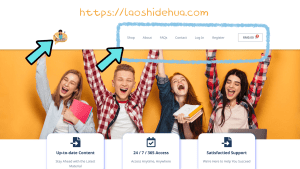
Step 2: Click here to register #
点击【Register】以注册新账号

Step 3: Register as a customer #
填写电子邮箱注册成新用户
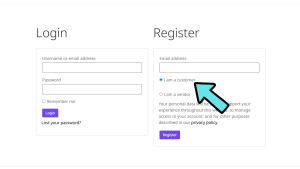
Step 4: Go to Gmail and set a password #
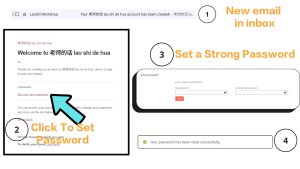
- After signing in to your gmail account, you will receive an email from LaoShi Workshop.
(If you cannot find it in your inbox, please check your spam or junk mail folder.)
填写好电子邮箱后,您将会收到来自【老师的话】的电子邮件。
若没有,可能被识别为垃圾邮件,可到您的垃圾邮件里进行检查。
- Click ‘Set your new password’ to create your password.
点击 ‘Set your new password’ 设置您的密码。
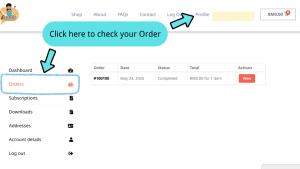
Step 5: Click ‘Profile’ #
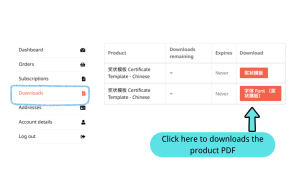
You can view your order、PDF downloads、information…
在Profile里,您可以浏览您的订单、文件下载、个人信息等等。

Step 6: Click ‘Shop’ to shop #
- You can use the ‘Search Product’ feature to quickly find the products you want. Example: Bina Ayat.
您可以使用 ‘Search Product’ 来快速寻找你所需要的教材,例如输入:bina ayat。
- You can also use the categories on the left side to find subjects by grade.
您也可以使用左侧的类别栏目,快速查找您所需要的某个年级或某个科目的教材。

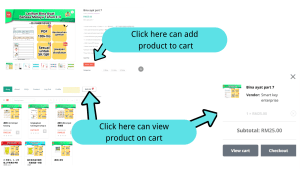
Step 7: Click the ‘Cart’ icon to keep the product in the cart #
- You can add more than 1 product or more than 1 vendor’s product in the cart too.
您可以添加多个所需要的教材进购物车里。
- Click the ‘Cart’ icon to view the products in your cart.
点击右上角的购物车可以浏览您所加购的教材。
Step 8: Click ‘Checkout’ and Confirm Information #
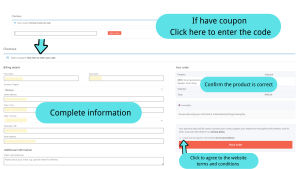
- Checkout if you have finished shopping.
当您浏览完毕即可下单。
- You can apply coupon if you have.
若您有折扣卷可输入折扣编码。
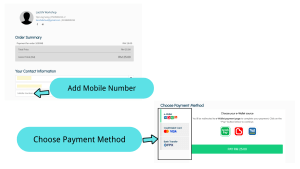
- Please complete your information correctly.(This information is used solely for services related to this platform.)
请输入准确的个人信息。(此信息仅用于本平台相关服务。)
- Make sure the products in your order are correct before placing the order.
再次检查右侧的购物栏,确保里面的教材是您所选择的。
- Click to agree to the website’s terms and conditions.
点击以同意本网站的条款与条件。